
ERP vs MES for Manufacturers: Choosing the Right Software Stack
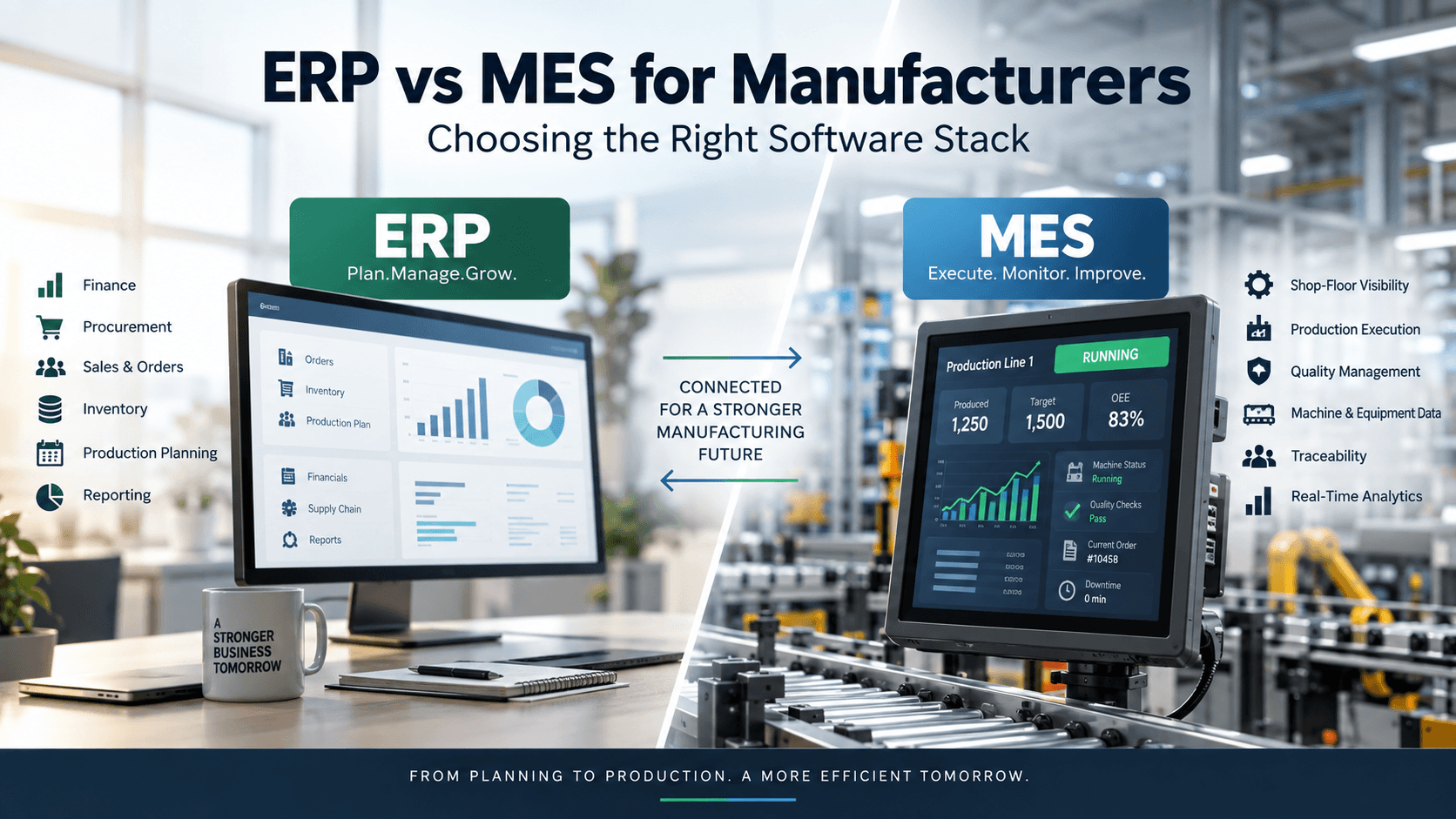
For manufacturers, ERP and MES are often treated as competing systems. In practice, they solve different problems.
ERP manages the business around manufacturing: orders, purchasing, inventory, financials, production planning, costing, and supply chain processes. MES manages manufacturing execution: what is happening on the shop floor, how work is progressing, what was produced, which materials were used, and where quality or production issues occurred.
The real question is not simply, “Should we choose ERP or MES?” It is:
Where does your current software stack stop providing the level of visibility and control your manufacturing operation needs?
For some manufacturers, a modern ERP with strong manufacturing capabilities is enough. For others, an MES adds an important execution layer. More complex operations may need both, connected through a clear data and integration strategy.
ERP vs MES at a Glance
| Capability | ERP | MES |
|---|---|---|
| Financial management | Primary role | Limited |
| Procurement | Primary role | Usually limited |
| Sales and order management | Primary role | Limited |
| Inventory management | Primary role | Supports production-level consumption |
| Production planning | Strong | Supports detailed execution |
| Work order management | Yes | Yes, with greater execution detail |
| Shop-floor visibility | Limited to moderate | Strong |
| Machine and equipment data | Usually limited | Strong |
| Real-time production data | Limited | Core capability |
| WIP tracking | Basic to detailed, depending on ERP | Detailed |
| Quality checks | Available in many ERPs | Often highly detailed |
| Traceability and genealogy | Often lot-level | Can support detailed process-level traceability |
| Downtime and production events | Limited | Strong |
| Financial costing | Primary role | Feeds execution data into costing |
| Enterprise-wide reporting | Strong | Primarily manufacturing-focused |
The exact boundary varies by vendor and implementation. Modern ERP platforms increasingly include shop-floor functionality, while some MES platforms include planning, quality, and analytics features.
What an ERP Does for a Manufacturer
An ERP acts as the backbone for the broader business. NIST describes manufacturing ERP systems as supporting the integration of processes such as sourcing, manufacturing planning, and logistics across the enterprise.
A manufacturing ERP typically helps teams manage:
- Customer and sales orders
- Purchasing and supplier management
- Inventory and warehouse operations
- Bills of materials and routings
- Material requirements planning
- Production orders
- Demand and supply planning
- Product and supplier costs
- Accounts payable and receivable
- Financial reporting
- Enterprise-level performance reporting
The ERP answers questions such as:
What do we need to produce?
What materials do we need?
When should production happen?
What did the product cost?
What inventory do we have?
What did we sell, purchase, and spend?
That makes ERP particularly valuable when the primary problem is fragmented business data or weak coordination between finance, procurement, sales, inventory, and production planning.
What an MES Does for a Manufacturer
MES operates closer to the production floor.
NIST describes MES as a system that manages production activity online and in real time.
An MES can provide visibility into:
- Production status
- Work-in-progress
- Operator activity
- Machine and equipment status
- Production quantities
- Scrap and rework
- Quality checks
- Material consumption
- Production events
- Downtime
- Process parameters
- Lot and product traceability
The MES answers a different set of questions:
What is happening on the line right now?
Which operation is this unit currently at?
How many units have actually been completed?
Why did production stop?
Which materials went into this batch?
Did the product pass each required quality check?
This difference in time horizon and operational detail is one of the clearest ways to understand ERP versus MES. MES is designed to capture and manage production information much closer to the point of execution.
ERP vs MES: The Key Difference
A useful way to think about the two systems is:
ERP manages the plan and the business context.
MES manages the execution of that plan on the factory floor.
Imagine an ERP creates a production order for 1,000 units.
The ERP can know that the order exists, what materials are required, when it is due, and how the production affects inventory and costs.
An MES can provide the operational detail behind that order:
- 250 units completed
- 30 units rejected
- 40 units waiting for inspection
- Machine 4 stopped for a setup change
- Operator completed operation 20
- Batch X was used for the current run
That distinction matters because a production plan and actual production rarely remain perfectly aligned.
When an ERP May Be Enough
You may not need a standalone MES if your manufacturing operation is relatively straightforward and your ERP already provides adequate production functionality.
ERP alone may be appropriate when:
- Production processes have relatively few steps.
- Machine connectivity is not a major requirement.
- Production data can be captured through normal ERP transactions.
- Real-time shop-floor visibility is not critical.
- Traceability requirements are relatively simple.
- Quality processes do not require extensive in-process data.
- Your existing ERP already handles work orders, scheduling, labor, quality, and production reporting effectively.
Adding another system simply because “manufacturers need MES” can create unnecessary cost and complexity.
The important question is whether your operational requirements exceed what your current ERP can reasonably provide.
When an MES Becomes More Valuable
An MES becomes more compelling when the gap between your planned production data and actual shop-floor activity becomes difficult to manage.
You Need Real-Time Production Visibility
If supervisors have to walk the factory floor, call operators, check spreadsheets, or wait until the end of a shift to understand production status, an MES can provide a much more immediate view.
This is particularly useful when production changes frequently or downtime has a meaningful impact on output.
You Have Complex Production Processes
A simple assembly process may be easy to manage through an ERP.
A production environment with dozens of operations, machines, inspection points, routing variations, and material movements can require much more detailed execution tracking.
Traceability Is Critical
Industries with strict traceability requirements may need to know more than the final quantity produced.
They may need to connect finished products to specific materials, batches, production steps, machines, operators, measurements, and quality results.
MES can provide this deeper production history while the ERP maintains the broader business and inventory context.
Quality Data Needs to Be Captured During Production
An ERP may record that a product passed final inspection.
An MES can help capture quality information throughout the manufacturing process.
That distinction becomes important when manufacturers need to identify where a defect occurred rather than discovering a problem only after production is complete.
Your Factory Uses Connected Equipment
When machines, sensors, scanners, PLCs, or other industrial systems generate production data, an MES can act as an operational layer for collecting and using that information.
This is one area where MES and ERP typically have different integration patterns. ERP operates at the enterprise level, while MES is more closely connected to production equipment and shop-floor systems.
When You Need Both ERP and MES
For many complex manufacturing environments, the most useful architecture is not ERP or MES. It is ERP plus MES.
The two systems can divide responsibilities based on where information originates and how it is used.
A simplified flow looks like this:
ERP → MES
- Production orders
- Product and material information
- BOMs and routings
- Production priorities
- Required quantities
- Planned dates
MES → ERP
- Production completions
- Actual material consumption
- Scrap and rework
- Labor information
- Production status
- Quality results
- WIP information
This creates a connection between business planning and factory execution. NIST similarly describes MES as providing real-time production feedback while integrating with higher-level enterprise systems.
How to Decide Between ERP, MES, or Both
Instead of starting with software features, start with operational problems.
Choose or strengthen ERP when the main problems are:
- Poor financial visibility
- Fragmented purchasing
- Inventory inaccuracies
- Weak demand planning
- Disconnected sales and production processes
- Poor costing
- Multiple systems managing customer and supplier data
- Lack of enterprise-wide reporting
Consider MES when the main problems are:
- Limited real-time production visibility
- Manual shop-floor data collection
- Poor WIP visibility
- Difficult traceability
- High levels of scrap or rework
- Inconsistent quality records
- Limited machine connectivity
- Difficulty understanding production downtime
- Large gaps between scheduled and actual production
Consider integrating both when:
- ERP already handles enterprise processes effectively.
- The factory needs significantly more execution detail.
- Multiple plants need consistent enterprise and production data.
- Production traceability is important.
- Machine or shop-floor data needs to feed business systems.
- Management needs both financial context and operational visibility.
Don’t Choose Software Before Defining System Ownership
One of the biggest risks in an ERP and MES implementation is unclear ownership.
For example, if both systems can edit production orders, which one is authoritative?
If both store inventory quantities, which number should finance trust?
If both maintain product routings, how do engineering changes reach production?
Before implementation, define the system of record for each important data type.
A simple ownership model might look like:
| Data | Likely system of record |
|---|---|
| Customer orders | ERP |
| Supplier information | ERP |
| Financial transactions | ERP |
| Inventory valuation | ERP |
| Product master | ERP |
| Production execution | MES |
| Machine events | MES |
| Shop-floor WIP | MES |
| In-process quality | MES |
| Production completions | MES → ERP |
| Financial production costs | ERP |
The precise model should reflect your selected platforms and operating processes. The important thing is that ownership is explicit.
What to Look for in an ERP
If ERP is the foundation of your manufacturing stack, evaluate more than accounting and inventory.
Look at:
- Manufacturing and MRP capabilities
- Production scheduling
- BOM and routing management
- Inventory accuracy
- Cost accounting
- Quality management
- Warehouse management
- Multi-site support
- API and integration capabilities
- Reporting and analytics
- Supplier and procurement workflows
- Product lifecycle integration
Also consider whether the ERP’s manufacturing functionality is strong enough to cover your shop-floor requirements without creating excessive customization.
What to Look for in an MES
For MES, focus on actual factory requirements.
Evaluate:
- Machine and equipment connectivity
- Real-time production monitoring
- Work instructions
- Dispatching
- Operator interfaces
- WIP tracking
- Quality management
- Scrap and rework tracking
- Genealogy and traceability
- Downtime tracking
- Production reporting
- Electronic records
- ERP integration
- Scalability across plants
Don’t evaluate MES purely from a feature checklist. Test how the system handles a real production scenario from start to finish.
For example, take one production order and ask the vendor to demonstrate:
- How the order enters the MES.
- How operators receive the work.
- How materials are verified.
- How production is recorded.
- How quality checks are completed.
- What happens when a unit fails inspection.
- How scrap is recorded.
- How the finished quantity reaches the ERP.
- How the complete production history can be retrieved.
That exercise often reveals more than a standard product demonstration.
The Cost of Adding MES to an Existing ERP
The software license is only one part of the decision.
A standalone MES can introduce additional costs for:
- Implementation
- Integration
- Machine connectivity
- Data migration
- Configuration
- Operator training
- Hardware
- Support
- Ongoing administration
There is also an organizational cost. Operators and supervisors have to adopt new workflows, while IT teams may need to maintain another critical system.
That does not mean MES is too expensive. It means the business case should be tied to specific operational problems.
NIST notes that MES can provide production data that helps manufacturers connect operational performance with actual costs and identify issues such as downtime, scrap, and process inefficiencies.
Common ERP and MES Implementation Mistakes
Buying MES Before Fixing Basic Data Problems
If product masters, BOMs, routings, work centers, and inventory data are unreliable, adding an MES will not automatically solve the underlying problem.
Treating ERP and MES as Competing Systems
The two platforms typically have different responsibilities. Trying to force one system to perform every function can create unnecessary customization.
Building Integration Around Every Possible Data Point
More integration is not automatically better.
Define the information each system actually needs and establish clear ownership before building interfaces.
Ignoring the Operator Experience
A system can look excellent in an executive dashboard and still fail on the factory floor.
Operators need interfaces that are fast, clear, and appropriate for the environment in which they work.
Measuring Implementation Success Only by Go-Live
The real test comes after deployment.
Track operational metrics that connect the software to business outcomes, such as production reporting accuracy, schedule adherence, scrap, rework, downtime, traceability effort, and administrative time.
A Practical Decision Framework
Before selecting software, document five things.
1. What Does the Business Need to Know?
Examples:
- What should we produce?
- What materials are available?
- What will production cost?
- What orders are due?
These questions generally point toward ERP capabilities.
2. What Does the Factory Need to Know?
Examples:
- What is running right now?
- Where is each order?
- Why is a machine stopped?
- Which batch was used?
- Did this operation pass inspection?
These questions generally point toward MES capabilities.
3. Where Does the Data Originate?
If data comes from purchasing, customer orders, finance, or enterprise planning, ERP is usually central.
If it comes directly from operators, machines, scanners, sensors, or production inspections, MES may be the better operational layer.
4. What Level of Traceability Do You Need?
Determine whether lot-level information is sufficient or whether you need detailed process, unit, material, machine, operator, and quality genealogy.
5. What Will Each System Own?
Document the system of record before implementation begins.
This reduces duplicate data, conflicting records, and integration problems later.
ERP vs MES: The Bottom Line
ERP and MES are best understood as different layers of a manufacturing software stack.
ERP connects the business. MES connects production execution.
If your biggest challenges involve finance, purchasing, inventory, planning, costing, and enterprise coordination, ERP should be central to the solution.
If your ERP is already working but the factory still lacks real-time visibility, detailed traceability, machine connectivity, or granular production control, MES may fill the gap.
For more complex manufacturers, integrating both systems can connect the production plan with what actually happens on the shop floor. The goal is not to collect more software. It is to create a reliable flow of information from customer demand to production planning to execution to actual results.