

Generative Design & AI-Assisted CAD: What’s Real in 2026
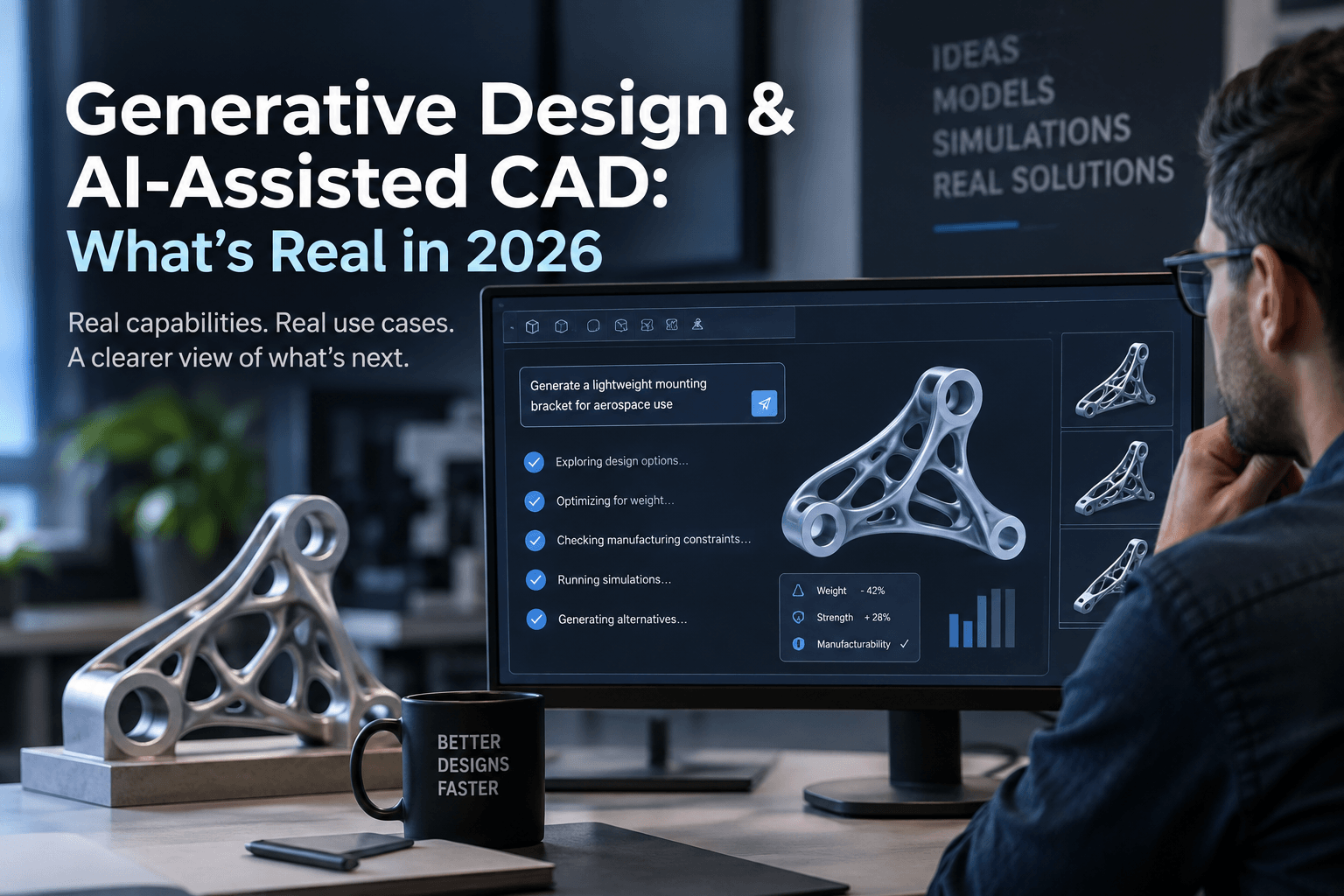
The AI-CAD conversation has moved beyond demos. In 2026, major CAD platforms are shipping AI features that can automate drawings, diagnose modeling problems, constrain sketches, generate assembly structures, and explore optimized designs. Autodesk Fusion, for example, now combines generative design with AI-assisted modeling and workflow automation, while SOLIDWORKS 2026 includes prompt-driven drawing and assembly capabilities.
But there is still a big gap between AI helping an engineer design something and AI independently designing a production-ready product.
That distinction matters.
For engineering teams evaluating AI-assisted CAD in 2026, the useful question is not “Can AI design products?” It is “Which parts of the design process can AI reliably accelerate today?”
What generative design actually means
Generative design is not simply typing a prompt such as “design a lightweight bracket” and receiving a finished CAD model.
Traditional CAD generally starts with a designer defining geometry. Generative design starts with engineering requirements.
You might specify:
- Loads and boundary conditions
- Keep-out and preserve regions
- Material
- Manufacturing process
- Weight targets
- Performance requirements
- Cost considerations
- Geometric constraints
The software then explores multiple possible solutions against those requirements.
Autodesk Fusion, for example, can generate alternatives based on manufacturing methods, materials, constraints and performance goals, with cloud computing handling multiple design outcomes.
The important distinction is that generative design is fundamentally optimization-driven. It is not the same thing as an LLM generating an image or writing text.
What is genuinely useful in 2026
AI-assisted CAD has become much more practical, but the biggest gains are often less flashy than text-to-CAD demos suggest.
AI-assisted modeling
Modern CAD assistants can increasingly understand the context of a model and help execute operations instead of merely answering questions.
Autodesk says its Fusion Assistant can use model context to perform tasks and workflows, while its 2026 updates expand natural-language interaction with modeling, manufacturing and collaboration functions.
This is useful for repetitive work.
Instead of remembering exactly where a command lives, a user can increasingly describe what they want the system to do.
The value is not that engineers suddenly stop modeling. It is that fewer minutes are spent navigating software.
Automated drawings
Drawing creation is another area where AI is already moving into practical workflows.
SOLIDWORKS 2026 includes AI-powered drawing generation that can use prompts to control templates, standards and primary views.
That does not eliminate engineering review. A manufacturing drawing still needs to be checked for dimensions, tolerances, standards, manufacturing intent and completeness.
But automating the initial setup can remove a significant amount of repetitive work.
Design error diagnosis
AI is also becoming useful when something goes wrong.
SOLIDWORKS 2026 includes AI-guided analysis intended to identify the root cause of modeling errors rather than forcing users to work through cascading warnings manually.
This is a good example of where AI fits naturally into CAD.
Engineers already know what they want to build. They need help finding why the model stopped behaving as expected.
Assembly generation and model understanding
AI is starting to work higher up the design stack too.
SOLIDWORKS 2026 includes an AI assembly structure generator that can create an initial assembly hierarchy from a natural-language prompt and allow users to refine it.
That is more interesting than simply generating geometry because product design is not just about individual parts. Engineers have to understand relationships between components, revisions, assemblies and downstream documentation.
Generative design is real, but it has boundaries
Generative design is arguably one of the most mature forms of computational design available today.
It is particularly valuable when the design problem has clear engineering constraints.
Consider a mounting bracket.
A conventional workflow might involve:
- Creating an initial concept.
- Running simulation.
- Finding weak or unnecessarily heavy areas.
- Modifying the geometry.
- Running another simulation.
- Repeating the process.
A generative workflow can explore many candidate geometries against predefined requirements.
That makes it especially useful for applications involving weight reduction, structural performance, material efficiency and manufacturing optimization. Autodesk lists these types of goals among its generative design workflows.
But there is an important catch.
The quality of the output depends on the quality of the inputs
Generative design does not understand your product requirements magically.
If the loads are wrong, the constraints are unrealistic, or the manufacturing assumptions are incomplete, the resulting design can be technically optimized and practically useless.
This is why generative design should be viewed as an engineering exploration tool, not an autonomous engineering authority.
Text-to-CAD is improving, but it is not magic
Text-to-CAD gets the most attention because it is easy to demonstrate.
“Create a mounting bracket with four holes and a 10 mm plate.”
That sounds impressive when a model appears.
The harder problem begins afterward.
Real engineering models contain:
- Design intent
- Parametric relationships
- Feature histories
- Manufacturing requirements
- Tolerances
- Assemblies
- Material specifications
- Configuration rules
- Supplier constraints
- Revision history
Generating visually plausible geometry is much easier than generating a robust engineering model that behaves correctly when someone changes a critical dimension six months later.
That is why AI-generated geometry should currently be treated as a starting point or accelerator, rather than an automatic replacement for experienced CAD modeling.
The biggest opportunity may not be geometry generation
There is a tendency to measure AI-CAD progress by asking:
“Can AI create a part from a prompt?”
That is an interesting benchmark, but it is not necessarily the most valuable one for businesses.
In production environments, engineers spend time on far more than creating geometry.
They search for old designs.
They investigate errors.
They update drawings.
They check assemblies.
They review revisions.
They prepare documentation.
They look for design information.
They communicate changes to manufacturing.
AI can help across these activities without needing to independently invent an entire product.
Autodesk’s 2026 AI strategy reflects this broader approach, with Assistant capabilities spanning design, manufacturing and data-related workflows.
What AI still struggles with
AI-assisted CAD has made significant progress, but several limitations remain important.
Engineering judgment
AI can optimize against specified objectives.
It does not automatically know which objectives matter most to the business.
An engineer may deliberately choose a slightly heavier part because it is easier to manufacture, inspect, repair or source.
The mathematically optimal solution is not always the commercially optimal solution.
Manufacturing reality
A geometry can satisfy a simulation and still be unpleasant or expensive to manufacture.
Machining access, tooling, inspection, surface finish, fixturing, supply chain constraints and production volumes can all change the preferred design.
Generative design systems increasingly account for manufacturing methods, but engineers still need to validate whether the assumptions reflect the actual production environment.
Design intent
A good CAD model communicates more than shape.
It communicates why the geometry exists.
That matters when another engineer needs to modify the part later.
AI can generate or modify geometry without necessarily capturing the reasoning a human engineer would have encoded into a carefully structured parametric model.
Verification
AI-generated output still needs engineering validation.
Depending on the application, that can include simulation, tolerance analysis, physical testing, design reviews, regulatory checks and manufacturing validation.
For safety-critical products, AI should make engineering work faster, not weaken the verification process.
Where companies should use AI-assisted CAD first
For most engineering teams, the best starting point is not fully autonomous design.
It is low-risk, repetitive work with clear success criteria.
Good candidates include:
- Drawing creation
- Sketch constraint assistance
- Model search
- Design documentation
- Error diagnosis
- Assembly organization
- Design alternatives
- Generative optimization
- Repetitive modeling operations
- Design-data analysis
These applications offer a straightforward value proposition: let AI handle more of the repetitive work while engineers retain control over decisions.
A practical AI-CAD workflow for 2026
A sensible workflow looks something like this:
Engineer defines the problem → AI explores or accelerates the work → engineer evaluates the result → simulation and manufacturing checks validate it → approved design enters the normal release process.
That human-in-the-loop structure is important.
The engineer remains responsible for defining requirements and judging tradeoffs. AI becomes a force multiplier.
This is also why AI-assisted CAD should not necessarily be evaluated by asking how much of the workflow it can automate.
A better question is:
How much engineering time can it save without increasing downstream risk?
What to expect next
The direction of CAD software is becoming clearer.
AI is moving from isolated assistants toward systems that understand more of the product context.
That means future CAD tools are likely to become better at connecting:
- Geometry
- Design intent
- Simulation
- Manufacturing
- Product data
- Documentation
- Previous designs
- Engineering requirements
SOLIDWORKS is already expanding AI capabilities beyond generation into model health, impact analysis, assembly performance and parametric model reconstruction.
Autodesk is taking a similar direction by connecting AI assistance with modeling, manufacturing and broader product-development workflows.
The long-term shift is therefore bigger than “AI generates CAD.”
It is CAD software becoming more aware of engineering context.
The bottom line
Generative design is real in 2026.
AI-assisted CAD is real too.
What is not yet real, at least as a general engineering workflow, is the idea that you can hand an AI a vague product description and receive a production-ready design that requires no expert judgment.
The strongest applications today are more practical.
AI can help engineers explore alternatives, automate repetitive CAD tasks, generate documentation, diagnose problems and work with increasingly complex design information.
That is already valuable.
The companies that benefit most will probably not be the ones trying to remove engineers from the process. They will be the ones using AI to remove low-value engineering work, while keeping human expertise where it matters most: requirements, tradeoffs, validation and final design decisions.